SEO for Restaurants and Cafes in India: How to Get Found on Google Maps
A simple guide to SEO for restaurants and cafes in India. Learn how to set up Google Maps, get more reviews, make your menu and website easy for Google to read, balance delivery apps with direct orders, and follow a 30-day plan.
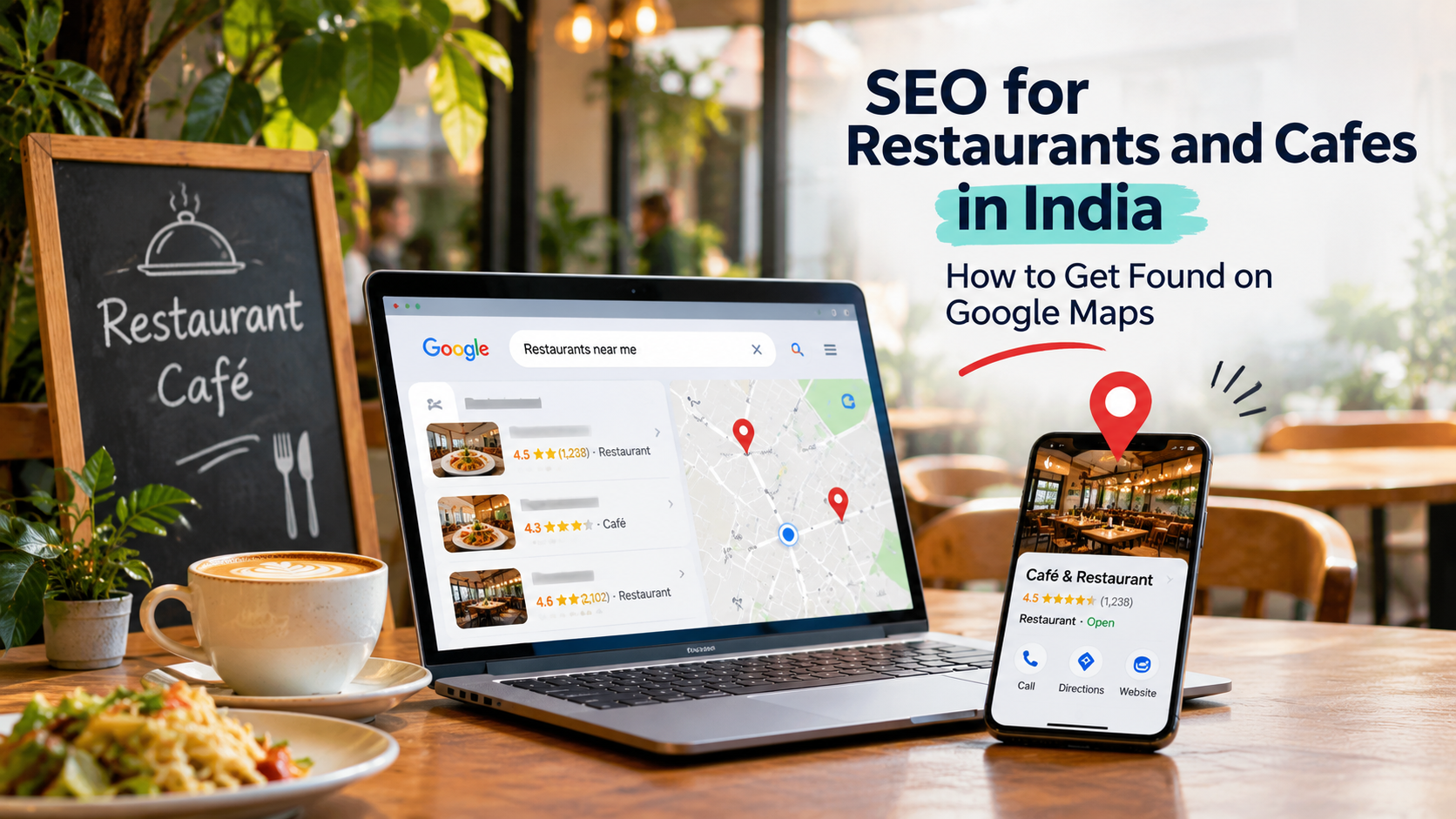
If your restaurant wasn’t one of those three, that customer never even knew you existed.
That is what SEO for restaurants is about. It is not about fancy tricks. It is about making sure that when hungry people search nearby, Google can find you, trust you, and show you. Here is how to do it, step by step.
What Is Restaurant SEO?
Restaurant SEO is the work of helping your restaurant or cafe show up in Google Search and Google Maps for local searches like “cafe near me” or “pure veg restaurant in Hazratganj.” It rests on three things:
Your Google Business Profile, the free listing that shows on Search and Maps
Your website, especially a menu that Google can read
Reviews and local mentions, which show Google that real customers know you
Most of the work is simple. It just needs to be done properly and kept up to date.
Step 1: Set Up Your Google Business Profile Properly
This is the single most important step, and it costs nothing. Google describes the profile as a free listing that helps customers find and choose your restaurant based on your menu, photos, and more. Make sure yours is claimed, verified, and complete.
Fill in everything:
Business name: use your real name, exactly as it appears on your board. Don’t stuff keywords into it.
Primary category: pick the one that matches your main offering, such as “Cafe,” “North Indian Restaurant,” or “Biryani Restaurant.” This is a strong signal.
Address, phone, and opening hours: keep them accurate, including festival days. Wrong hours lose customers and reviews.
Menu: you can add dishes and prices directly. You can add menu items to your Google listing, with categories and prices, and clear descriptions help customers understand what they can order. doordash
Attributes: things like outdoor seating, family-friendly, pure veg, parking, and card payments.
Links: add your website, menu, and any ordering or reservation links.
Add real photos. Google suggests adding photos of your menu and best dishes, and posting special offers or deals to attract customers. Upload photos of your food, interior, exterior, and team. Use natural light, avoid heavy filters, and add new photos often. Customers judge a restaurant by its pictures before anything else. google
Post updates. Share new dishes, festival specials, and events. It shows your restaurant is active.
Step 2: Collect Reviews (This Is Where Rankings Are Won)
Reviews influence both rankings and trust. Two restaurants close to each other can look similar on the map, but the one with more recent, genuine reviews often gets the click.
How to get more of them:
In your Business Profile, go to Read Reviews, then Get more reviews, and copy the review link or download the QR code. superiorseating
Print the QR code on a table tent, the bill folder, or a small board near the counter.
Send the link on WhatsApp after a takeaway or delivery order.
Train your staff to ask happy customers politely.
A simple WhatsApp message you can use:
Hi! Thank you for visiting [Restaurant Name]. We hope you enjoyed your meal. If you liked it, a quick Google review would mean a lot to us: [link]
Rules to follow:
Never buy fake reviews or offer rewards for positive ones. It breaks Google’s policies and can get your profile suspended.
Reply to every review. Thank happy customers by name, and answer negative ones calmly. A polite, helpful reply to a bad review can actually build trust with people who are reading.
Step 3: Make Your Website Work for Hungry People
Many restaurants have a website that is just a photo of the menu on a PDF. That is hard for Google to read and slow on a phone. A simple, fast website helps in several ways.
Put your menu in text, not only in a PDF or image. Google may transcribe menu data from your business website so that it appears accurately on your Business Profile. Text menus are also easier for people to read on mobile. eseospace
Use clear page titles. For example: “Biryani Restaurant in Gomti Nagar, Lucknow | [Name].” Say what you serve and where.
Make three actions obvious on every page: view the menu, call or order, and get directions.
Keep it fast and mobile-friendly. Most people will open your site on their phone, often while walking.
Add your address, phone number, and opening hours in text, and embed a Google Map.
Create a page for each location if you have more than one outlet.
If you need a fast, easy-to-use website for your restaurant, you can see our website design and development services.
Step 4: Know What People Actually Search For
Think like a hungry customer. People search in a few different ways:
Type of search | Examples |
|---|---|
Near me | “restaurants near me,” “cafe open now” |
Area-based | “cafes in Hazratganj,” “restaurants in Gomti Nagar” |
Dish-based | “best biryani in Lucknow,” “kebab near me” |
Occasion | “birthday party restaurant,” “family dinner place” |
Preference | “pure veg restaurant,” “rooftop cafe,” “pet friendly cafe” |
Brand | “[your name] menu,” “[your name] timing” |
Use these words naturally on your website, menu page, and in your Google profile description. Don’t repeat them unnaturally.
Step 5: Balance Delivery Apps With Direct Orders
Delivery apps like Zomato and Swiggy bring reach and orders, and for many restaurants they are important. But they usually take a commission, and the customer relationship stays with the app.
A balanced approach works best:
Stay on the apps where they give you real value.
Also give customers a direct way to order, such as a phone number, WhatsApp, or your own ordering page.
Google lets you add online ordering and reservation options to your profile, so add your direct links where you can. google
Offer a small benefit for direct orders, like a free dessert or discount, so regular customers choose you directly.
Step 6: Get Local Mentions and Links
Google trusts restaurants that other people talk about. Here is how to build that gently:
List your restaurant on trusted directories such as Justdial and Sulekha, with the same name, address, and phone number everywhere.
Invite local food bloggers and creators, and let them share honest experiences.
Take part in local events and food festivals.
Share your Instagram and Facebook pages from your website, and link back to your website from your profiles.
Consistency matters. If your name, address, or phone number is different on different sites, Google gets confused about which details are correct.
Step 7: Use Social Media and Photos Together
People often discover restaurants on Instagram and then search for them on Google. Post real photos and short videos of dishes, behind-the-scenes moments, and offers. Use the same restaurant name everywhere, and put your website and Google Maps link in your bio. If you want help managing this, see our social media marketing services.
Common Mistakes to Avoid
Wrong opening hours or an old phone number
Blurry, old, or stock photos
A menu that exists only as an image or PDF
Ignoring reviews, especially negative ones
Keyword-stuffed business names
Having duplicate listings for the same outlet
Setting up your profile once and never updating it
A Simple 30-Day Plan
Week 1: Claim and verify your Google Business Profile. Fix your category, hours, address, and phone number.
Week 2: Add 20 to 30 good photos and your full menu with prices. Add attributes and your links.
Week 3: Start collecting reviews with the QR code and WhatsApp message. Reply to every existing review.
Week 4: Update your website with a text menu, clear titles, and your map. List yourself on a few trusted directories.
After that, post updates every week, add new photos regularly, and keep asking for reviews.
How Long Does It Take?
Small fixes, like correcting hours or adding photos, can help within weeks. Building a strong review base and local reputation usually takes a few months. Nobody can guarantee a number one ranking, so be careful with anyone who promises one. Steady work and genuine customer love are what keep you on top.
Need Help?
If you are busy running a kitchen, you don’t have to do all this yourself. You can see how GlanceTechy’s SEO services help local businesses get found on Google, check our pricing, or look at our portfolio to see our work. You can also contact us for a free call.
Final Thoughts
SEO for restaurants and cafes is not complicated. A complete Google profile, real photos, genuine reviews, a fast website with a clear menu, and steady activity are what most customers see first. Start with the basics this week: fix your profile, add photos, and ask your next ten happy customers for a review. Small, consistent steps can bring more walk-ins, calls, and orders.
Frequently asked questions
It is the work of making your restaurant or cafe show up in Google Search and Maps when people search nearby, using your Google Business Profile, website, reviews, and local mentions.
Claim and verify a free Google Business Profile with your real name, address, phone, hours, photos, and menu. Then keep it updated and collect reviews.
Yes. Reviews affect both how trustworthy your restaurant looks and how it appears in local results. Collect genuine reviews and reply to them.
Many restaurants use both. Apps bring reach, and your own website and direct ordering give you better margins and customer relationships. A mix usually works best.
Quick fixes can show effects in a few weeks, while building reviews and local authority usually takes a few months. Results depend on your area and competition.
It is strongly recommended. A website lets you show your full menu, offers, and contact details, and gives Google more information about your restaurant.