How to Generate Leads with Facebook Lead Ads
Learn how to generate leads with Facebook Lead Ads. This guide covers setup, audience targeting, form design, budget, follow-up, and tips to improve lead quality so your Meta lead generation campaigns bring in real customers.
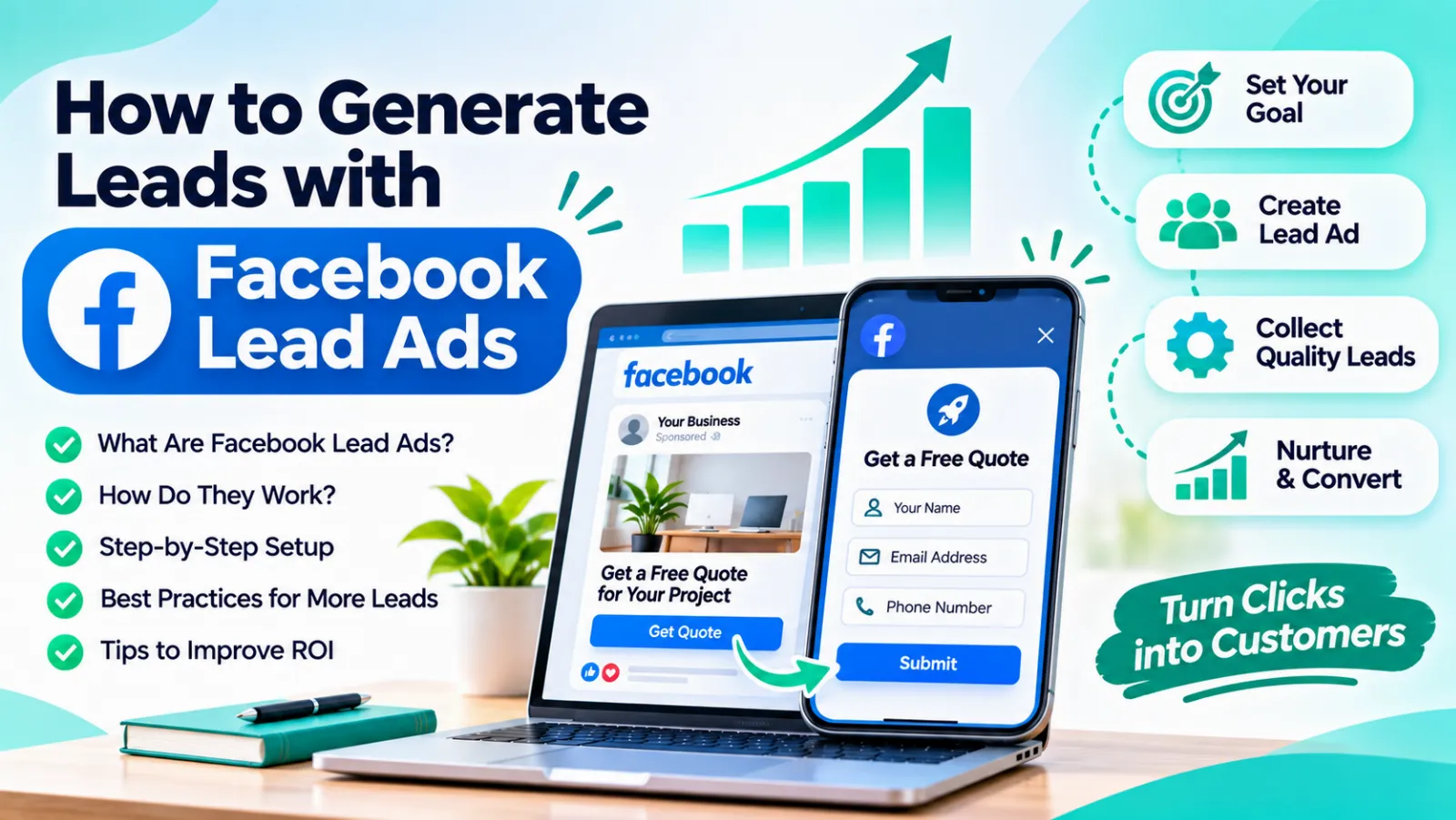
That’s the appeal of Facebook Lead Ads. They remove the biggest barrier to getting leads: friction. No new tab, no slow landing page, no typing out your name and email from scratch. Facebook fills in most of the details for you, and the person just taps submit.
This guide explains how Facebook Lead Ads work, how to set them up, and how to make sure the leads you get are actually worth following up.
What Are Facebook Lead Ads?
Facebook Lead Ads are ads with a built-in form. When someone taps your ad on Facebook or Instagram, a form opens right inside the app, often pre-filled with their name, phone number, and email. They review it, submit it, and you get the lead.
Because everything happens in one place, these ads usually work especially well on mobile, where most people browse. They’re a core part of Meta lead generation, and a popular choice for service businesses, coaching, real estate, education, and local shops.
When Do Lead Ads Make Sense?
Lead ads aren’t right for every business. They work best when:
- You want people to request a quote, book a consultation, or sign up for a free trial
- Your offer is simple enough to explain in a short ad
- You can follow up quickly by phone, WhatsApp, or email
- Your customers mostly use their phones
They work less well when the purchase needs a lot of explanation or when your customers are researching deeply before contacting anyone. In those cases, a dedicated landing page may be a better fit.
Step 1: Set a Clear Goal and Offer
Before you open Ads Manager, decide what you want. A vague goal like “get more leads” leads to vague results.
Pick a specific outcome, such as 30 consultation bookings a month or 50 free quote requests. Then build an offer people actually want. Strong offers for Facebook marketing include:
- A free consultation or strategy call
- A free quote or site visit
- A discount on the first service
- A free trial class or demo
- A useful guide or checklist
“Contact us for more information” is not an offer. “Get a free home design consultation this week” is.
Step 2: Create Your Campaign in Meta Ads Manager
Log in to Meta Ads Manager and create a new campaign. Choose the Leads objective, which is designed to bring in form submissions.
You’ll then choose where to collect leads. Instant forms are the classic option and keep everything inside Facebook and Instagram. Depending on your goal, you may also see options to collect leads through calls or messages. For most beginners, instant forms are the easiest place to start.
Step 3: Define Your Audience
Meta gives you plenty of ways to target people, including location, age, interests, and behavior. You can also build audiences from your existing customers or website visitors.
A few practical tips:
- Start with location. For local businesses, target a realistic radius around your business or specific cities.
- Don’t over-narrow. Very small audiences can make your ads expensive and slow to learn. Let the system find the right people within a sensible range.
- Use lookalike audiences once you have a list of past customers. Meta finds people who resemble your best buyers.
- Exclude existing customers if your offer is only for new ones.
Step 4: Write an Ad That Gets Attention
Your ad has one job: make the right person stop scrolling. Keep it simple.
Image or video: Use real, clear visuals. A genuine photo of your work or team usually beats a generic stock image. Short videos can also perform very well.
Headline: State the benefit clearly. “Free 30-Minute Website Review” works better than “Grow Your Business Today.”
Primary text: Speak directly to the problem. Mention who the offer is for, what they get, and what to do next.
Call to action button: Use buttons like “Sign Up,” “Get Quote,” or “Apply Now” that match your offer.
Step 5: Build a Smart Instant Form
This is where many businesses lose quality leads. The form design matters a lot.
Meta offers different form types. A more volume form is quick and easy to submit, which brings more leads but sometimes lower quality. A higher intent form adds a review step before submission, which tends to filter out accidental taps and bring in more serious people.
Some best practices:
- Keep it short. Name, phone number, and email are usually enough.
- Add one or two qualifying questions. For example, “When do you want to start?” or “What’s your budget range?”
- Write a clear intro. Remind people what they’re signing up for and what happens next.
- Include a privacy policy link. It’s required, and it builds trust.
- Write a proper thank-you screen. Tell people when you’ll contact them, and add a button to call you or message you on WhatsApp.
A form that is too short can bring in lots of unserious leads. One that’s too long scares people away. Test to find the right balance for your business.
Step 6: Set Your Budget and Launch
Start with a daily budget you’re comfortable testing with. You don’t need to spend big at first. What matters is giving the system enough time and data to learn, which usually means leaving the campaign alone for several days before making big changes.
Run two or three versions of your ad with different images or headlines. After a week or two, you’ll see which one brings leads at a better cost, and you can shift more budget there.
Step 7: Follow Up Fast (This Is Where Leads Are Won or Lost)
Here’s the part most businesses get wrong. Leads from Facebook are often less “warm” than leads from search. The person saw your ad, tapped, and signed up in seconds. A day later, they may barely remember it.
That means speed matters enormously:
- Call or message within minutes, if possible
- Connect your leads to a CRM, spreadsheet, or WhatsApp so nothing gets missed
- Send an instant automated reply thanking them and setting expectations
- Follow up at least three times before giving up
If you’re getting leads but not customers, slow follow-up is often the real reason.
How to Improve Lead Quality
Facebook Lead Ads can bring in a lot of leads, but not all of them will be good. To raise quality:
- Add a qualifying question to your form
- Use the higher intent form option
- Be clear about price or requirements in the ad itself
- Target the right audience instead of broadening too far
- Review lead feedback and tell your team which leads were actually good
Over time, this helps Meta find more people like your best leads instead of just the cheapest ones.
Common Mistakes to Avoid
- Making the offer vague or unattractive
- Asking for too much information in the form
- Not following up quickly
- Using low-quality or generic images
- Changing the campaign every day and resetting the learning process
- Judging success by cost per lead instead of cost per customer
- Ignoring the privacy policy and consent requirements
Facebook Lead Ads vs. Sending Traffic to Your Website
Both approaches have a place. Lead ads are faster and easier for the user, which usually means more leads at a lower cost. A website landing page gives you more space to explain your offer and often brings in more qualified leads, though in smaller numbers.
If your customers are ready to act quickly, lead ads are great. If your service needs more explanation, consider combining both. Many businesses also support their paid campaigns with SEO so they get steady traffic even when ads are paused. If you want help building that kind of balanced approach, you can see how GlanceTechy’s SEO services can support your long-term growth.
When to Get Professional Help
If you’re spending money and not seeing good leads, or you simply don’t have time to manage campaigns, expert help can save a lot of trial and error. A good team will set up proper tracking, test creatives, and focus on real customers, not just form fills.
If you’d like support planning and running your campaigns, you can learn more about GlanceTechy and how we help businesses grow online.
Final Thoughts
Facebook Lead Ads can be one of the simplest and most effective ways to bring in new customers, especially on mobile. The recipe is straightforward: a strong offer, a clean ad, a smart form, and fast follow-up.
Start small, test a few variations, and judge your results by actual customers, not just the number of leads. With steady improvements, Facebook marketing can become a reliable source of new business instead of a guessing game.